




















A word before that, and it’s the one part of this page we’d ask you not to skim. Installing something is a technical matter; using it is a legal one. The operator’s terms say plainly that it’s for each customer to know whether online gambling is lawful where they live. So please check that online casino or betting activity is permitted in your jurisdiction before you register, deposit or play. The service is for over-18s only, and an app, honestly, is just a faster way in – what happens in the games is still down to chance.
Official Android Access
Since there are two routes, it’s worth setting them next to each other before you commit to either. The differences are practical ones.
| Android app (APK) | Home-screen shortcut | |
|---|---|---|
| —– | —– | —– |
| What it is | An application installed on the phone | An icon that opens the mobile site |
| Where it comes from | The operator’s official Android download page | The Create Shortcut page on the site |
| What it needs | A download and a one-time install permission | A few taps in the browser menu |
| Space on the phone | That of an installed app | Next to nothing |
| Staying current | New versions come from the official page | Always opens the live site |
| Removing it | Uninstall like any app | Delete the icon |
Neither route gives you a different casino. The account, the balance, the games and the cashier are the same, and so is the Arabic interface. So it really comes down to taste: a full app if you expect to be a regular visitor, the shortcut if you’d rather keep your phone light and your home screen discreet. And if you’re still only curious, you needn’t choose at all yet – the site opens in any mobile browser, and the games can be tried in demo mode.
How to Install on Android
For the app, the procedure is the one Android uses for any APK. The prompts are worded a little differently from phone to phone, so treat what follows as the general pattern, and give priority to any instructions on the download page itself.
- Go to the operator’s website and open its official Android download page;
- Tap the download button and let the APK file finish downloading;
- When Android asks whether your browser may install apps, allow it;
- Open the file from the notification or your Downloads folder and tap Install;
- Open the app from your app list and log in.
It’s quicker on Wi-Fi, you know, and easier on your data. Afterwards you can go back into your settings and withdraw that install permission from the browser – it has served its purpose. The app’s version, size and Android requirements aren’t quoted here, because they change; the download page is where to check them.
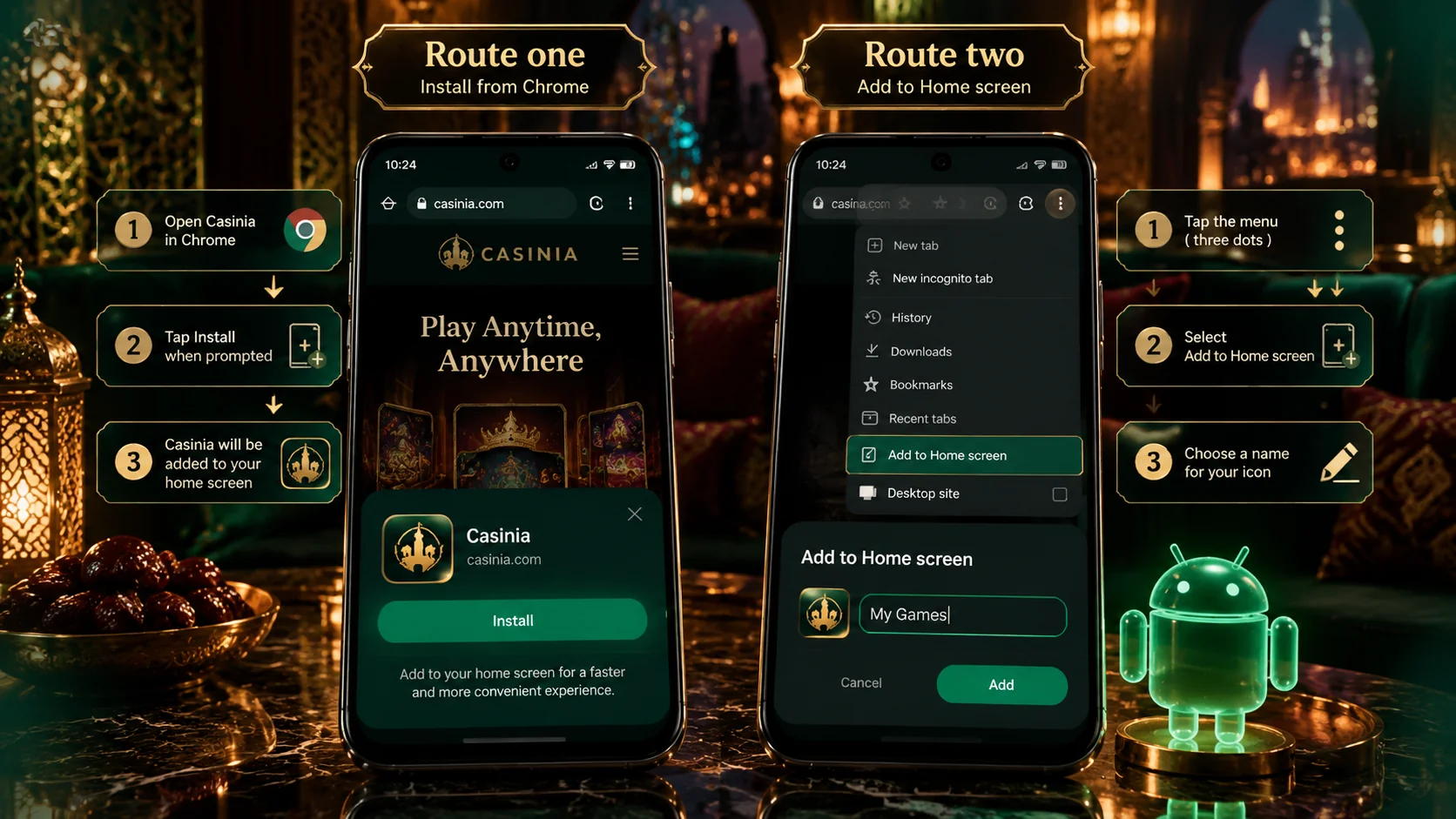
The shortcut is simpler still. The official Create Shortcut page says to try its installation link first; if that doesn’t work, tap the three-dot menu in the upper right-hand corner of the browser, scroll down, choose Add to Home screen, and give the shortcut a name. That menu belongs to Chrome, which most Android phones use. Whichever you pick, tap the new icon once to make sure it opens the casino, and you’re done.
APK, Browser or PWA: Verify First
With an installed app, where the file comes from is everything. An APK is a working program, and it will be handling the login to an account that holds your documents and payment details. So before you download, run through a short check:
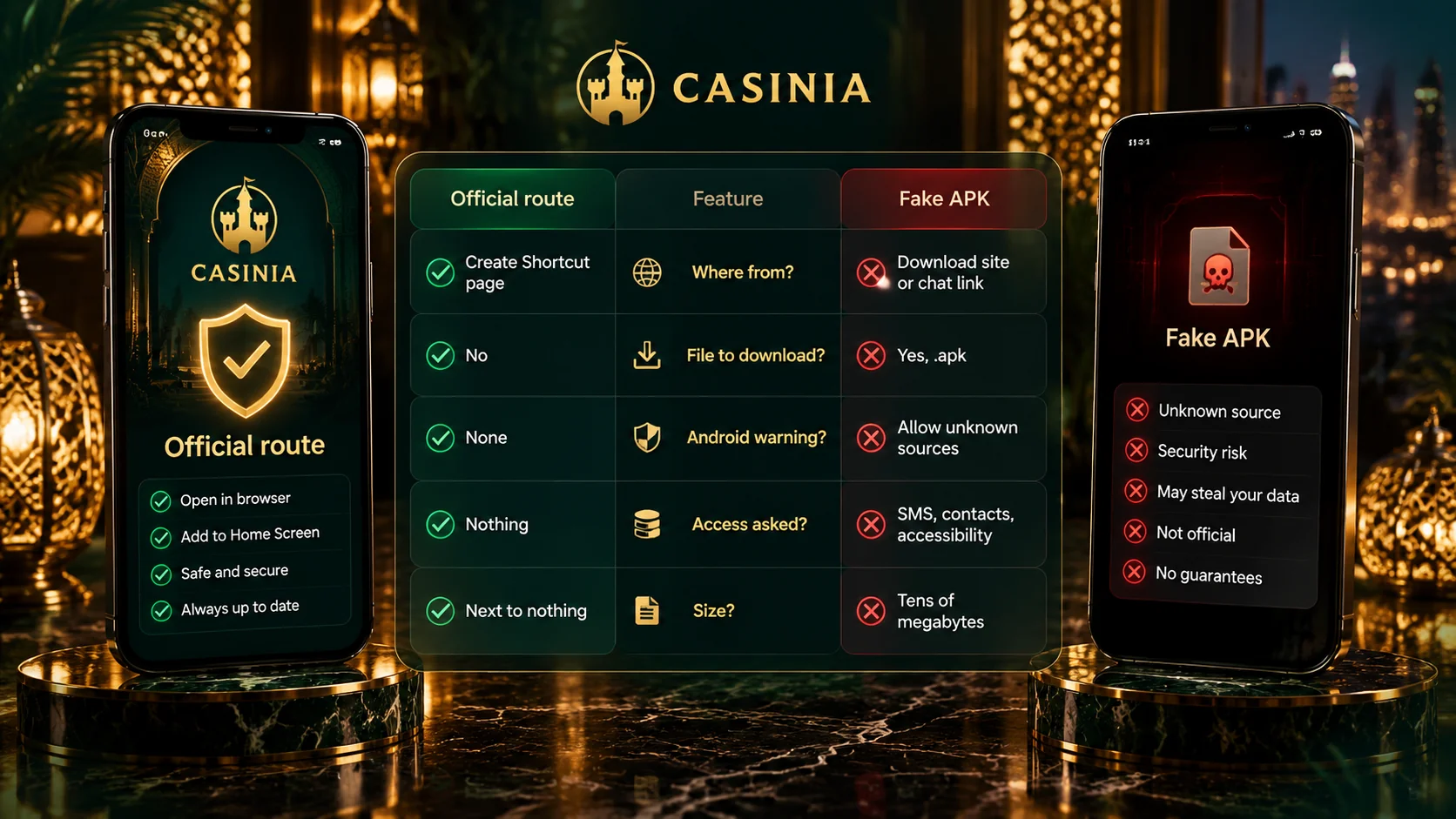
- you reached the download page from the operator’s own site, not from an advert or a forwarded link;
- the address in the browser bar is the one you expected;
- the file isn’t asking for access a gaming app has no reason to want;
- nobody sent you the file directly, however helpful they seemed;
- if any of this is in doubt, you’ve asked support on live chat first.
The browser and the shortcut carry less risk, simply because nothing is installed – the shortcut is sometimes called a PWA or web app, though the official page calls it a shortcut and makes no promise of app-style extras. It’s a small routine, and it takes a minute. Do it once, properly, and you needn’t think about it again.
Login and Mobile Features
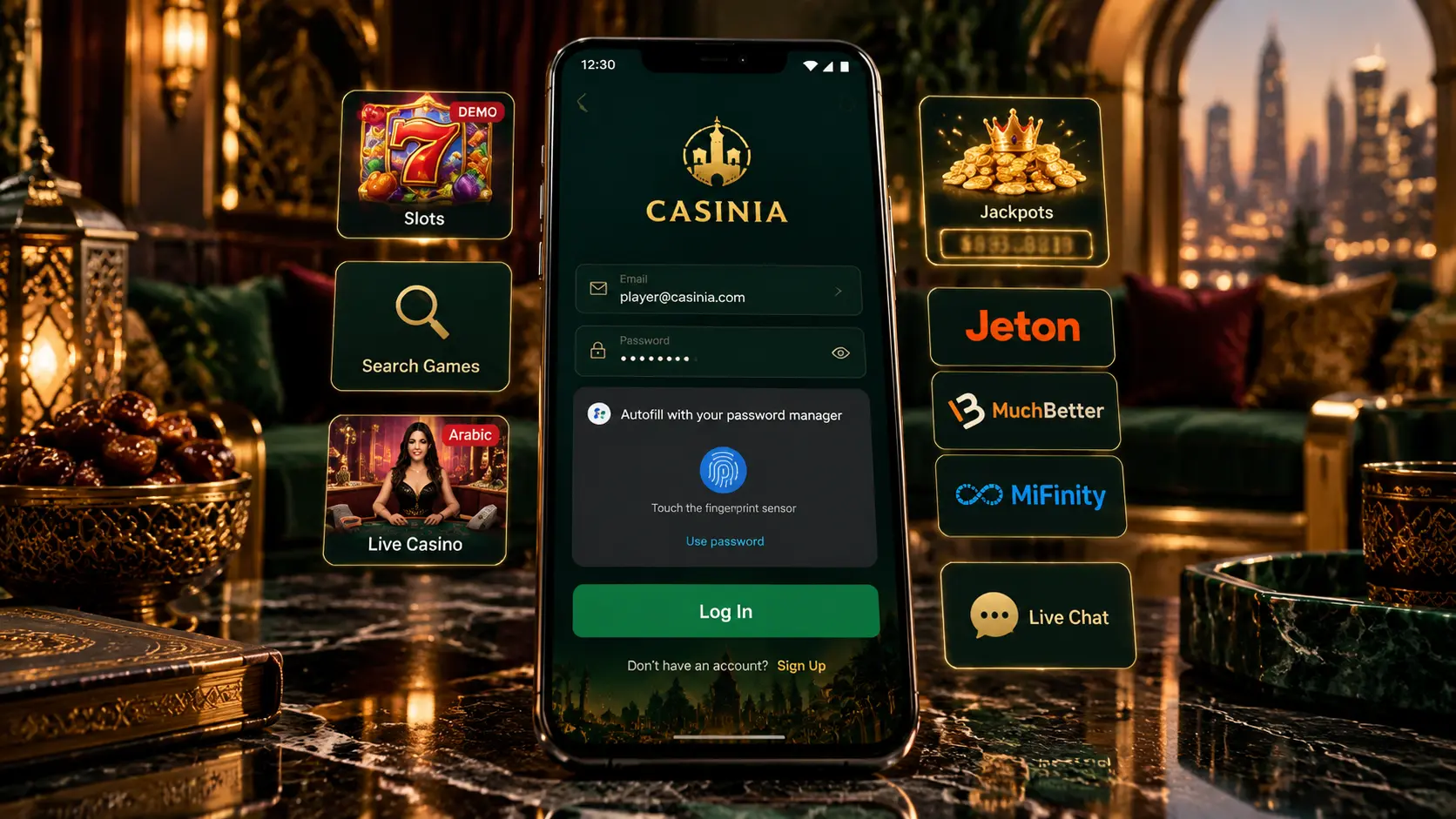
Signing in is the same whether you open the app or tap the shortcut. Press Log in, enter your username or the email you registered with, then your password. The password is case-sensitive, and since phone keyboards like to capitalise the first letter, that’s the first thing to check if it’s refused. Newcomers will find Register beside Log in; anyone who already has an account should simply use it, because the terms allow one per person, household and IP address.
Once you’re in, the casino is all there. The lobby has its fifteen categories – slots, new releases, Megaways, Bonus Buys, table games and the rest – and a search field that takes game titles and provider names, which is kind of essential on a small screen. Every game card has a Demo button. The live casino runs dealer-led tables, among them roulette and blackjack hosted in Arabic, and there’s a separate page for jackpots. The sportsbook, the cashier with deposits from \$15, the My Bonus section and live chat sit in the same menus.
Two things are worth a mention. Live tables are video streams, so they’re far steadier on Wi-Fi than on mobile data. And an icon that’s always within reach makes it very easy to play in idle moments; those moments add up, and no game comes with a guaranteed result. It seems like the simplest protection is also the best one – decide on a budget and a finishing time before you open the lobby. If you’re only exploring, the demo games are the place to begin.
Updates and Troubleshooting
The two routes differ here. The shortcut never needs updating, because it opens the live site each time. The installed app is a separate program, and how it receives new versions isn’t something we could confirm. The safe rule, then, is to take any newer version from the same official download page as the first, and to ignore any message that offers an “update” through a link.
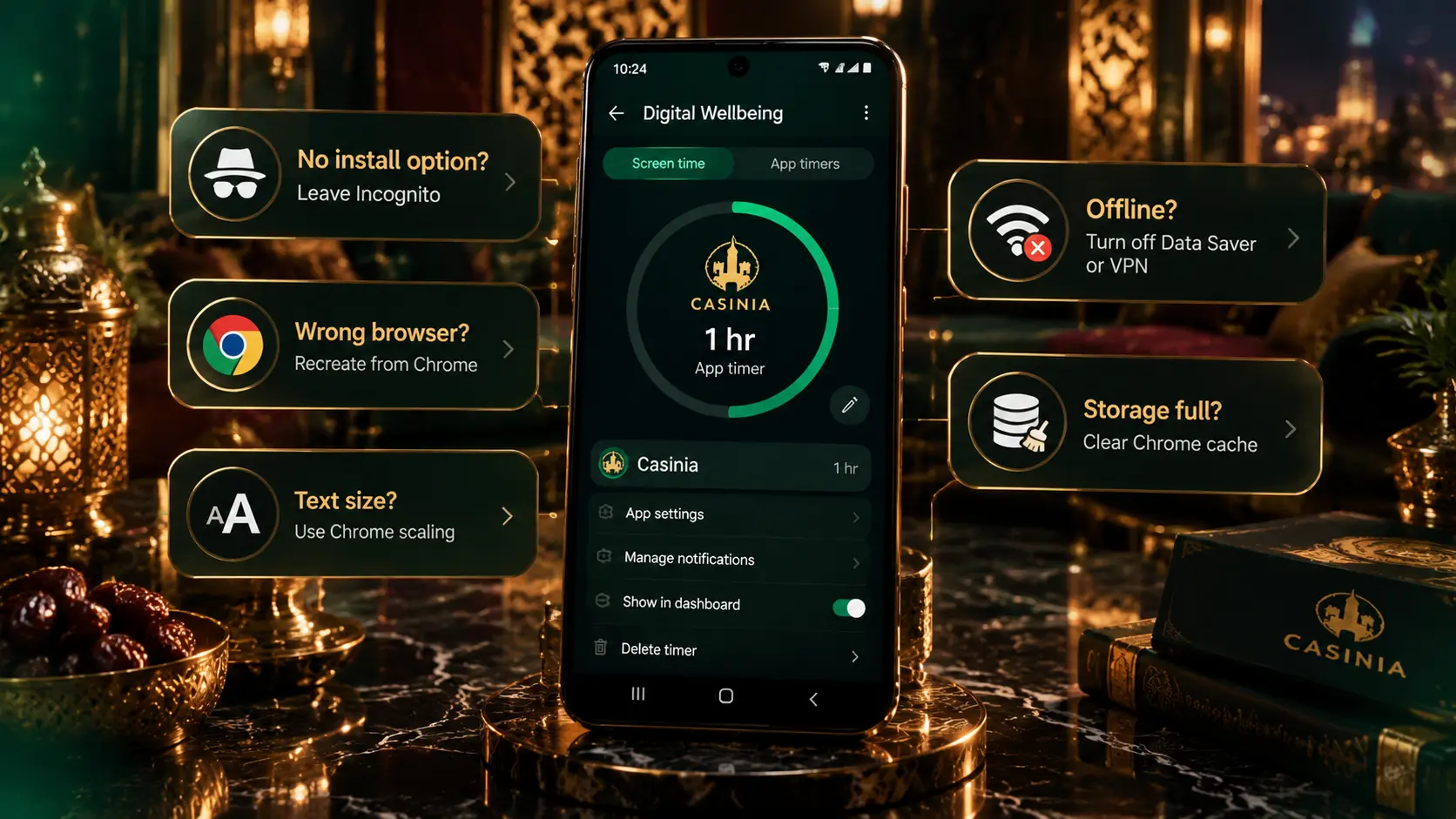
Most problems are small ones. If the APK won’t install, the download may not have finished, storage may be short, or the browser may lack permission to install apps. If Add to Home screen isn’t in the menu, opening the site in Chrome usually brings it back. If the app or shortcut won’t load, check your connection and try the site in the browser. And if a login fails, look again at your username or email and at the capitals in your password; after a password change, the Help Centre suggests clearing the browser’s cookies and cache.
When that doesn’t settle it, support is available 24 hours a day on live chat and at [email protected]. They’ll ask for a screenshot of the error, so it’s worth taking one first. The same team can arrange a break or self-exclusion whenever you need one – gambling can be addictive, as the operator itself says. And please, before you register, deposit or play, be sure it’s permitted in your jurisdiction.