


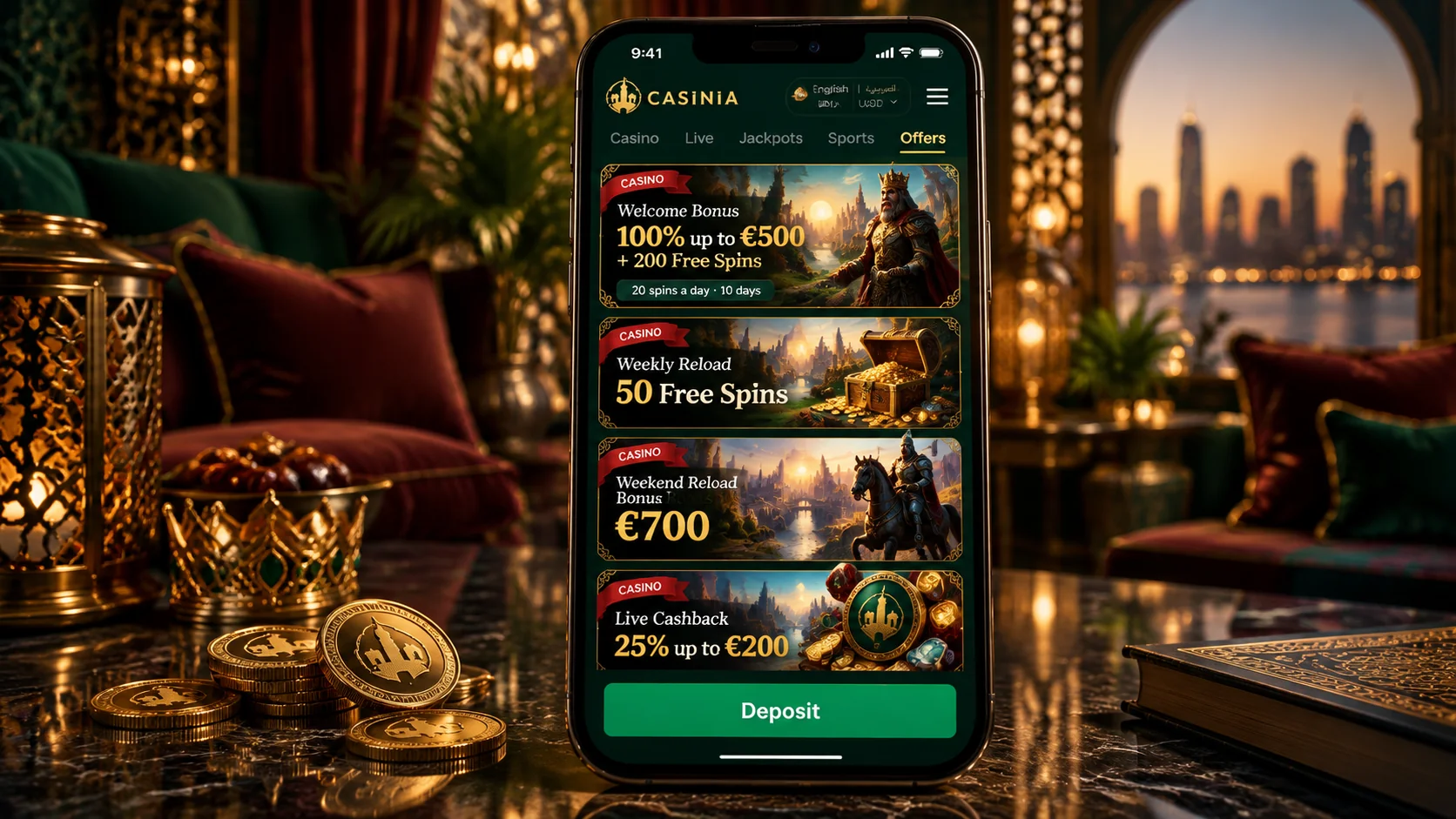
















Before that, though, there’s a matter that sits above all the practical ones. Whether you may use a gaming site depends on the law where you live, and the operator’s terms leave it to each customer to check. So please make sure online casino or betting activity is permitted in your jurisdiction before you register, deposit or play. You must be over 18. And an icon on a screen, to be clear, makes the casino quicker to reach and nothing more; the games remain games of chance.
Official iOS Access
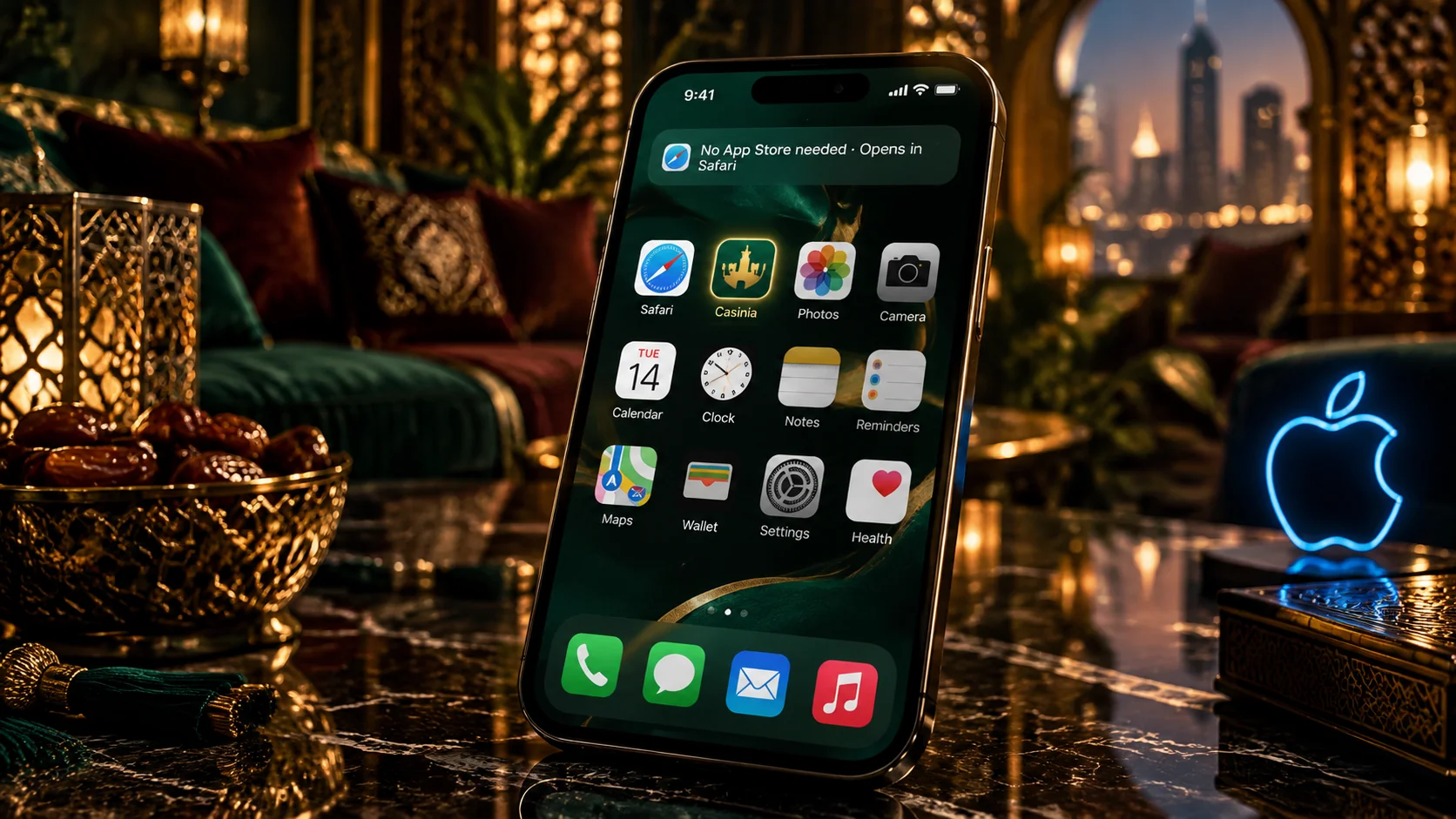
For iPhone and iPad, the shortcut is the operator’s official offering, described on a page of its site called Create Shortcut – the link is in the footer, under General Info. Because “shortcut” can sound vague, here’s what it amounts to in practice.
| Question | Answer |
|---|---|
| What is it? | An icon on the home screen that opens the mobile site |
| How is it added? | From the browser’s share menu, in three steps |
| Does it use the same account? | Yes – same login, balance and sections |
| How much space does it take? | Next to none; nothing is installed |
| Does it need updating? | No – it opens the live site each time |
| Can it be renamed or removed? | Named when created; deleted like any icon |
| Notifications or offline use? | Not described on the official page |
The last row is there for honesty’s sake. The official page describes a shortcut and promises nothing beyond that, so we won’t either. What it does give you is quick, tidy access to the whole casino, with the interface available in Arabic. And if you’d rather not add an icon at all, the site opens perfectly well in the browser by itself – have a look that way first, if you like.
How to Add or Install on iPhone
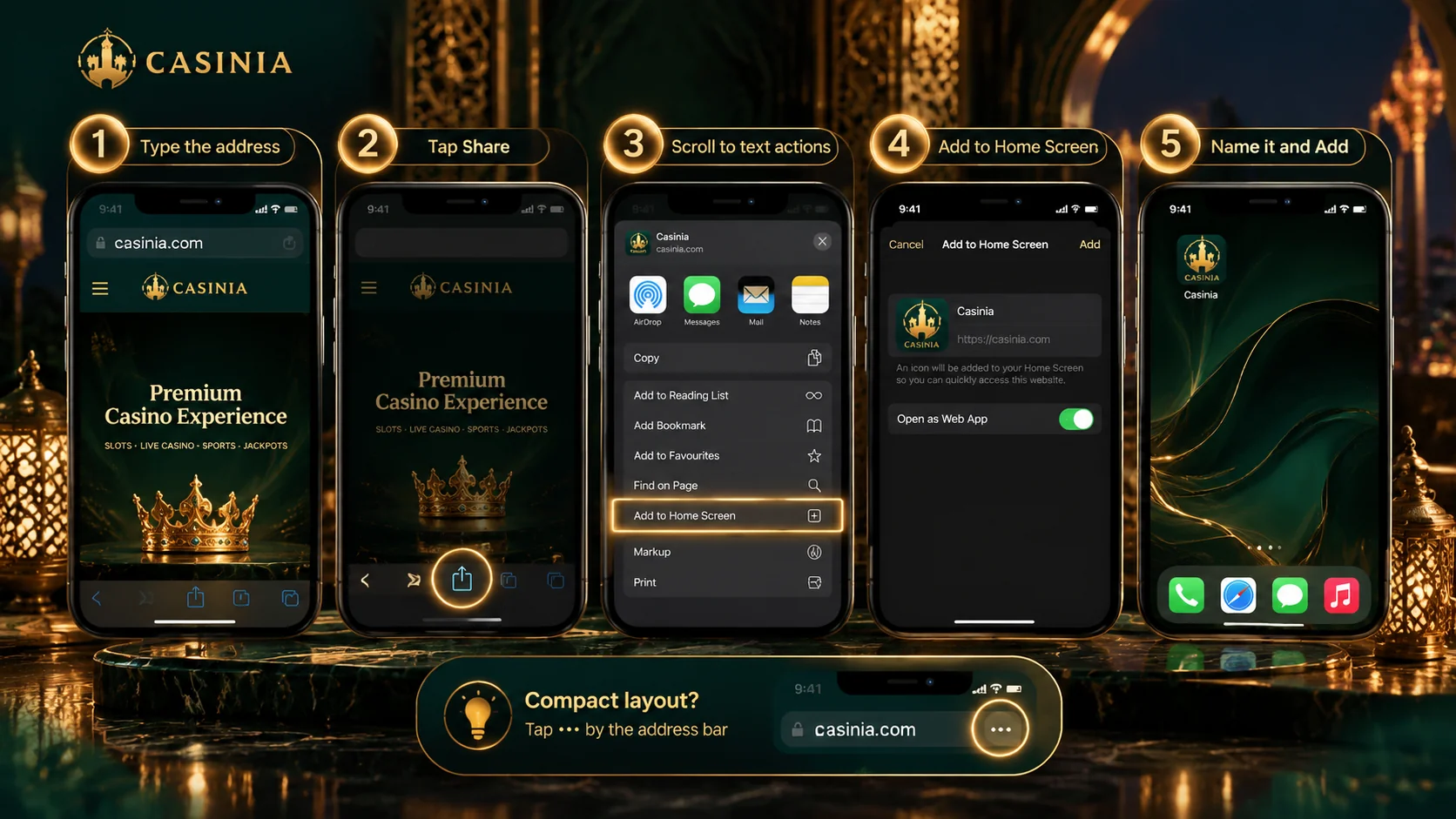
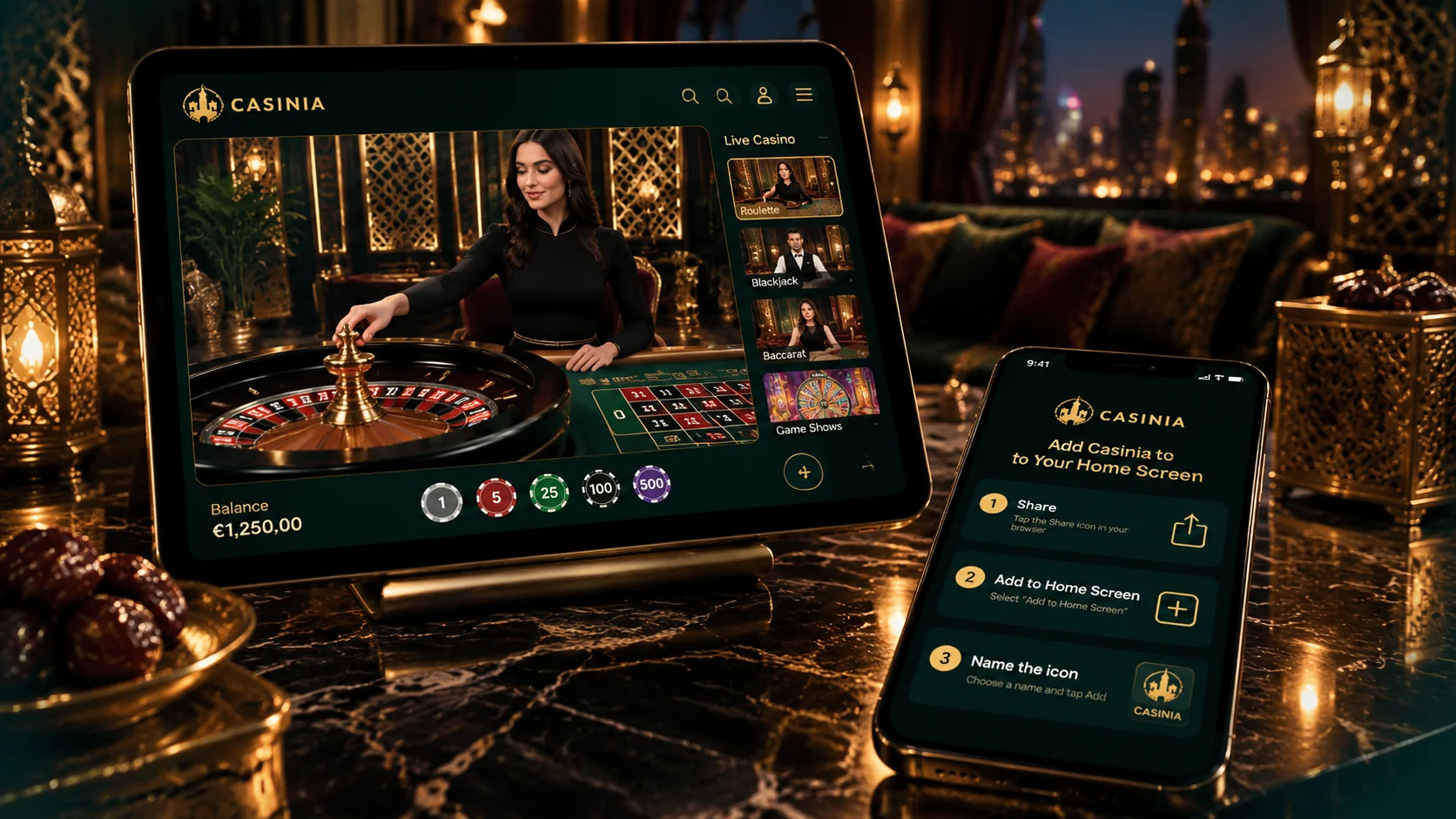
Here are the three steps, as the official Create Shortcut page sets them out. Open the site in your browser first, and then:
- Tap the share icon – the box with an arrow coming out of it – to open the menu;
- Scroll down that menu and tap Add to Home Screen;
- Type a name for the shortcut, and the browser adds it to your home screen.
There really isn’t more to it than that. A few details are worth knowing, all the same, because they’re where people tend to hesitate. In Safari on an iPhone the share icon lives in the bar at the bottom of the screen; on an iPad it’s at the top. The Add to Home Screen option is further down the menu than you’d guess, below the row of contacts and apps, so keep scrolling. And if you ordinarily use a different browser and the option isn’t there, it’s easiest to do this single task in Safari.
Once the icon appears, it behaves like any other. You can move it, put it in a folder, or hold it down to delete it, and deleting it doesn’t touch your account. Naming it is up to you, which is, I mean, a small courtesy to anyone who prefers their home screen to stay private. Try it now, with the phone in your hand – it’s faster to do than to read.
App Store, Browser or Shortcut: Verify First
On iOS the operator’s own routes are the shortcut and the plain browser. Anything else carrying the casino’s name deserves a second look before you trust it with your login, wherever it turns up. A short check is all it takes:
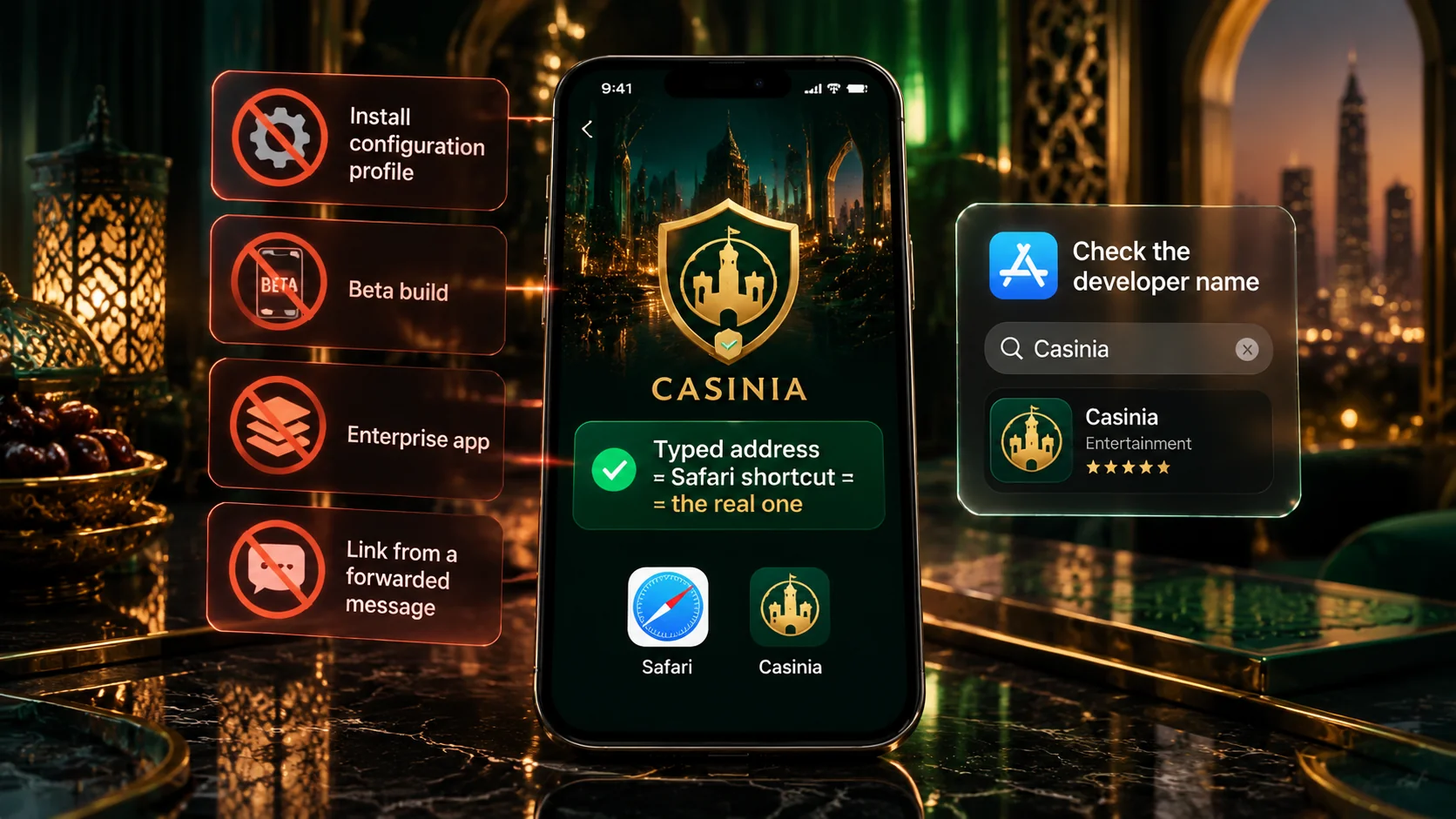
- see whether the operator’s own site points to it – if not, treat it as unconfirmed;
- don’t install a configuration profile or change device settings because a page tells you to;
- don’t type your password into a page reached through an advert or a forwarded link;
- when you’re unsure, ask support on live chat before doing anything.
It’s less about suspicion than about proportion. Your account will hold identity documents and payment details in due course, and those merit the same care you’d give your banking. The shortcut made from the official site is the route we can confirm, and it gives you everything the casino offers. Start there, and you won’t go far wrong.
Login and Mobile Features
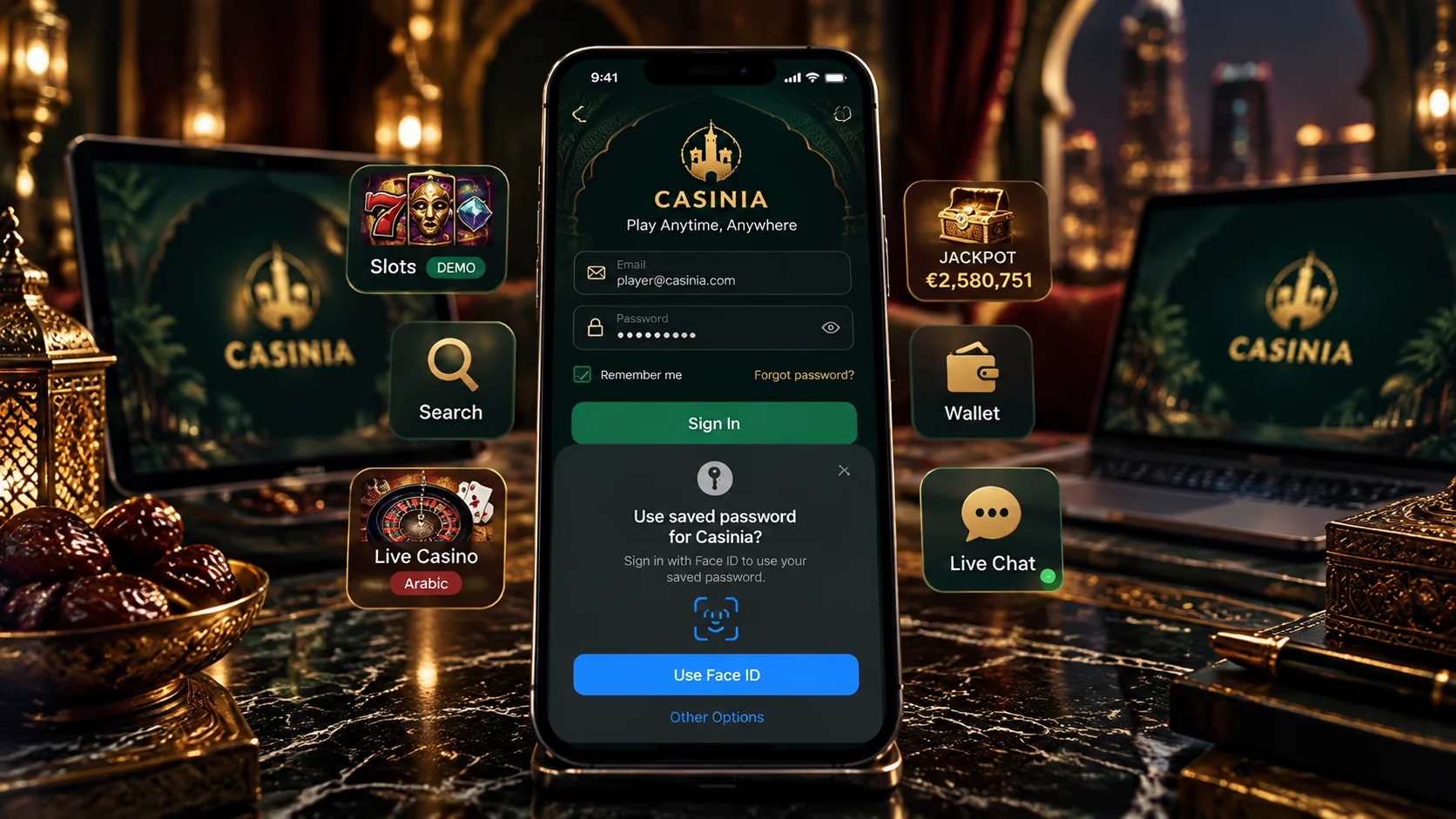
With the icon in place, you log in as you would anywhere: tap it, press Log in, and enter your username or registered email and then your password. The password is case-sensitive, and the iPhone keyboard’s habit of capitalising the first letter is, more often than you’d think, the reason a login is refused. If you’re new, Register is beside Log in. If you already have an account, use that one – the terms allow a single account per person, household and IP address, and a new phone is no exception.
Inside, you have the whole casino. The lobby is arranged in fifteen categories, from Slots and New to Megaways, Bonus Buys and Table Games, and its search field accepts game titles and provider names, which saves a great deal of scrolling. Each game card offers a Demo button. The live casino has dealer-led roulette, blackjack, baccarat and game shows, with some tables hosted in Arabic, and jackpots have a page of their own. The sportsbook, the cashier – deposits start at \$15 – the My Bonus section and live chat are all in the menu too.
A couple of gentle cautions. Live tables are streamed video, so they’re sort of particular about the connection; Wi-Fi treats them far better than mobile data. And a casino that’s one tap away is very easy to open in a spare moment. Those moments accumulate, and no game promises a result, so it helps to settle on a budget and a finishing time first. The demo games are a comfortable way to start if you’re only looking.
Updates and Troubleshooting
Updates won’t trouble you, because there aren’t any to install: the shortcut opens the live site each time, so you always see the current version. It follows that a message urging you to “update” by downloading something isn’t part of the official route, and is best left alone. For everyday safety, keep Face ID or a passcode on, don’t save your password where others could use it, and sign out when you finish.
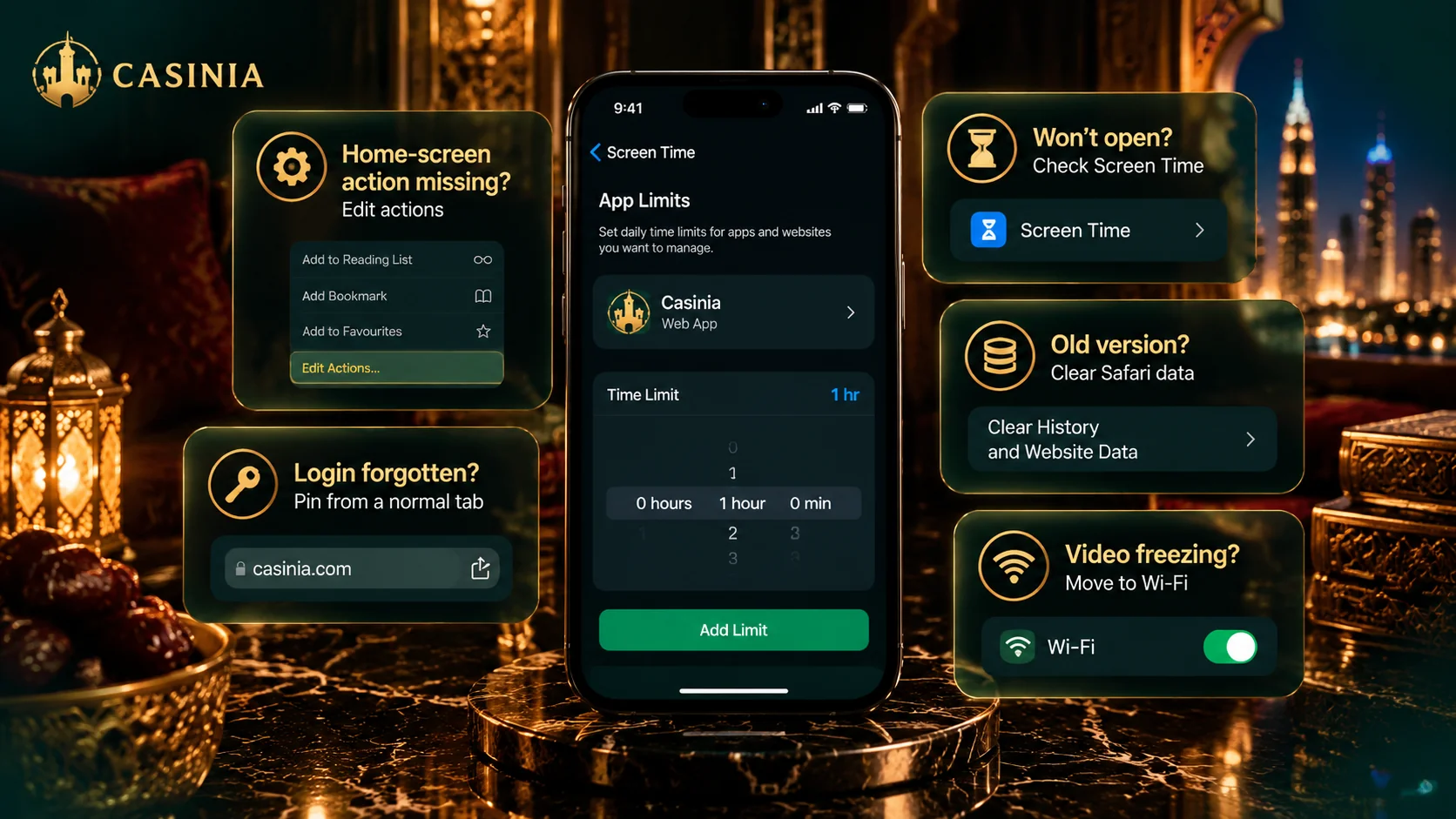
If something misbehaves, it’s usually minor. Should Add to Home Screen be missing, open the site in Safari and scroll further down the share menu. If the shortcut opens to a blank page, check your connection, then try the site directly in the browser. If a login fails, check your username or email and that first capital letter; and if the trouble began after a password change, the Help Centre suggests clearing the browser’s cookies and site data, or using another browser.
For anything that persists, support is on live chat 24 hours a day and at [email protected]. They’ll ask for a screenshot of the error, so it’s sensible to take one first. The same team can arrange a break or self-exclusion whenever you need it – gambling can be addictive, and the operator says so itself. And once more, because it matters: please make sure it’s permitted in your jurisdiction before you register, deposit or play.